
技术实践
如何在不使用任何外部库的情况下在 JavaScript 中显示格式化日期
在大多数应用程序中,我们需要显示一个格式化的日期,如2021年6月18日或06/18/2021以及时间 所以我们通常使用 moment.j

羊先生2021.06.18 · 4 分钟阅读 · 85 阅读

在大多数应用程序中,我们需要显示一个格式化的日期,如2021年6月18日或06/18/2021以及时间
所以我们通常使用 moment.js、 date-fns 或 day.js 库来完成这些工作
但是使用外部库会给应用程序的最终大小增加许多额外的代码
例如,moment.js npm 库的未打包大小约为4.21 MB
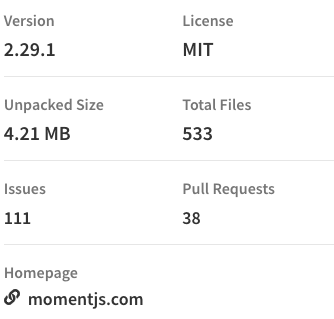
因此,即使你只使用它一次进行单一格式化,你的最终捆绑/文件大小也会增加,这将影响你的应用程序加载时间
此外,从2020年10月起,Moment.js 现在是一个遗留项目(处于维护模式)
因此,在本文中,我们将看到如何使用 JavaScript 以格式化的方式显示日期,而不使用任何外部库
toLocaleDateString
toLocaleDateString 方法接受一组选项,并根据特定于语言的约定返回给定 Date 实例的日期部分
- locales 设置可以采用 en-US、 en-GB 等语言特定代码
- Options 是一个对象,其中我们指定日期的哪个部分,如日期、年份、月份等
获得唯一的日期
js
const date = new Date().toLocaleDateString('en-US');
console.log(date); // 6/18/2021
获取格式化日期
js
const date = new Date().toLocaleDateString('en-US', {
    year: 'numeric',
    month: 'long',
    day: 'numeric'
  });
console.log(date); // June 18, 2021
获取日期和时间
js
const date = new Date().toLocaleDateString('en-US', {
            hour: 'numeric',
            minute: 'numeric'
          });
console.log(date); // 6/18/2021, 10:30 AM
获取格式化的日期和时间
js
const date = new Date().toLocaleDateString('en-US', {
    year: 'numeric',
    month: 'long',
    day: 'numeric',
    hour: 'numeric',
    minute: 'numeric'
  });
console.log(date); // June 18, 2021, 10:30 AM
获取包含秒数的格式化日期和时间
js
const date = new Date().toLocaleDateString('en-US', {
    year: 'numeric',
    month: 'long',
    day: 'numeric',
    hour: 'numeric',
    minute: 'numeric',
    second: 'numeric'
  });
console.log(date); // June 18, 2021, 10:30:54 AM
获取包含工作日的格式化日期和时间
js
const date = new Date().toLocaleDateString('en-US', {
    weekday: 'long',
    year: 'numeric',
    month: 'long',
    day: 'numeric',
    hour: 'numeric',
    minute: 'numeric',
    second: 'numeric'
  });
console.log(date); // Friday, June 18, 2021, 10:30:52 AM
参数选项
weekday: long, short, narrow
era: long, short, narrow
year: numeric, 2-digit
month: numeric, 2-digit, long, short, narrow
day: numeric, 2-digit
hour: numeric, 2-digit
minute: numeric, 2-digit
second: numeric, 2-digit
timeZoneName: long, short